Perler Bead Color Codes: How to Read and Replace Colors
Understand bead color codes, material lists, brand differences, and how to replace colors when you do not own the exact shade.
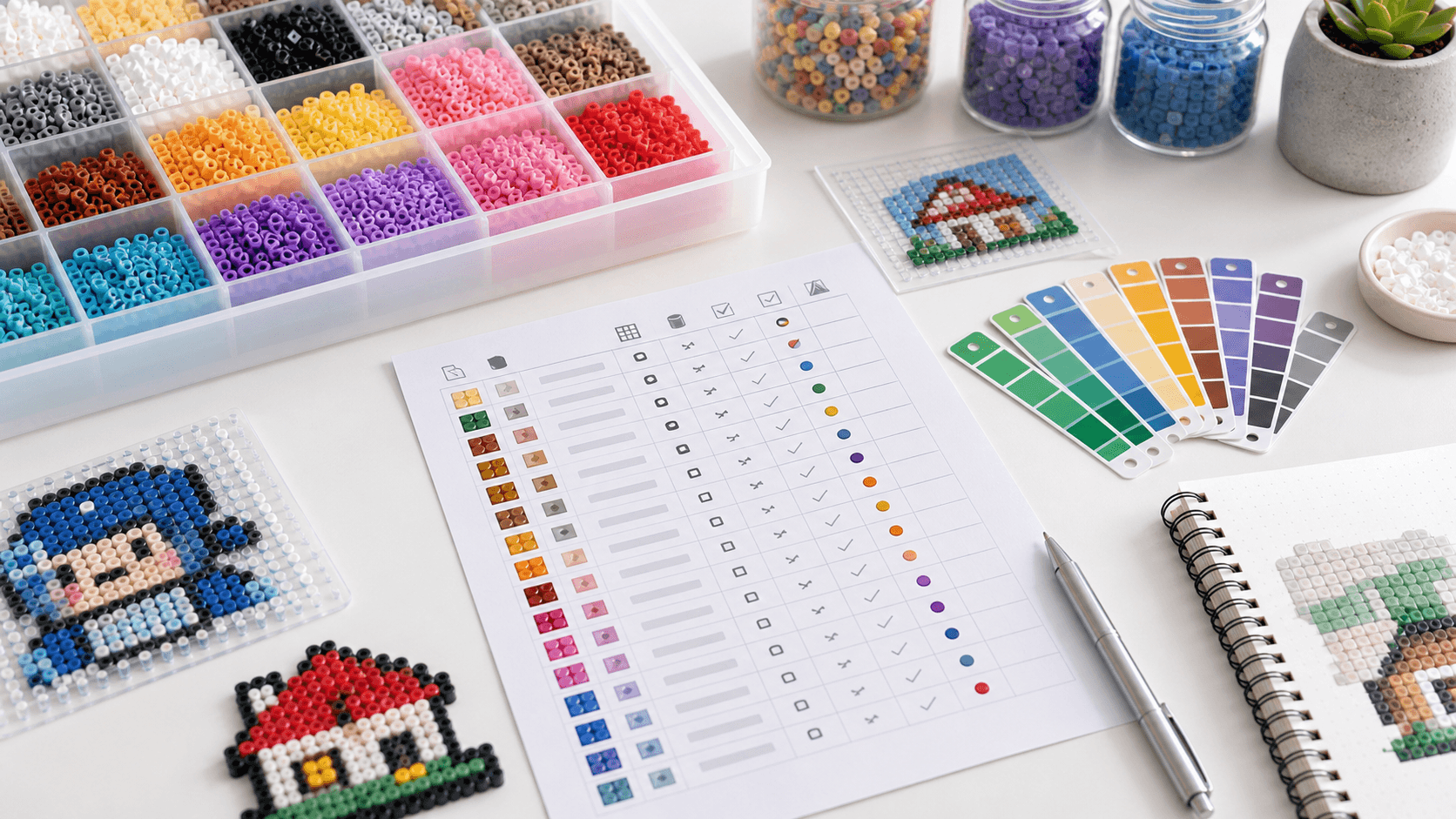
Start from this guide
Open the editor to make a pattern now, or pick a public pattern to practice the workflow.
Perler Bead Color Codes: How to Read the Material List
Color codes connect the color you see on screen with real beads you can buy. Different brands have different names and numbers, so a pattern can look slightly different depending on the palette.
1. What color codes mean
A color code is a brand's label for a specific bead color. It may be a number, a color name, or both.
Color labels help you:
- Place beads without guessing.
- Buy the right colors.
- Tell similar shades apart.
If you only follow the preview image, similar colors can be easy to mix up.
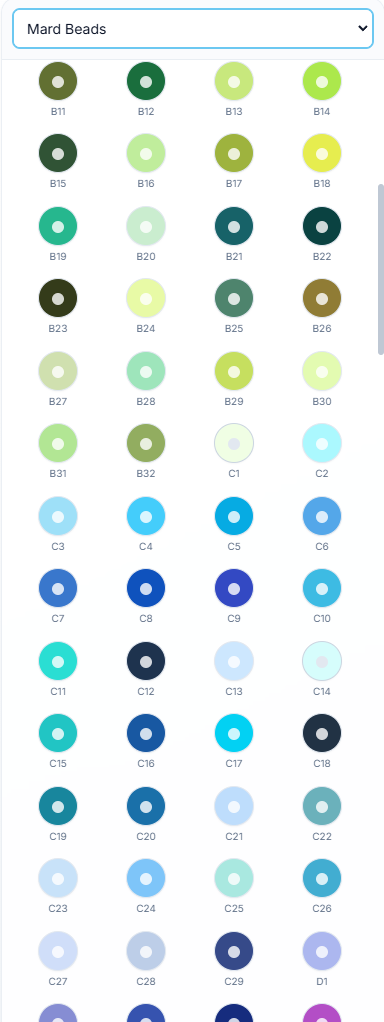
The palette panel is where you choose a bead brand and read each color label. In this kind of view, the round swatch shows the color preview, while labels like B11, C5, and D1 are the color codes for the selected palette.
2. How to read a material list
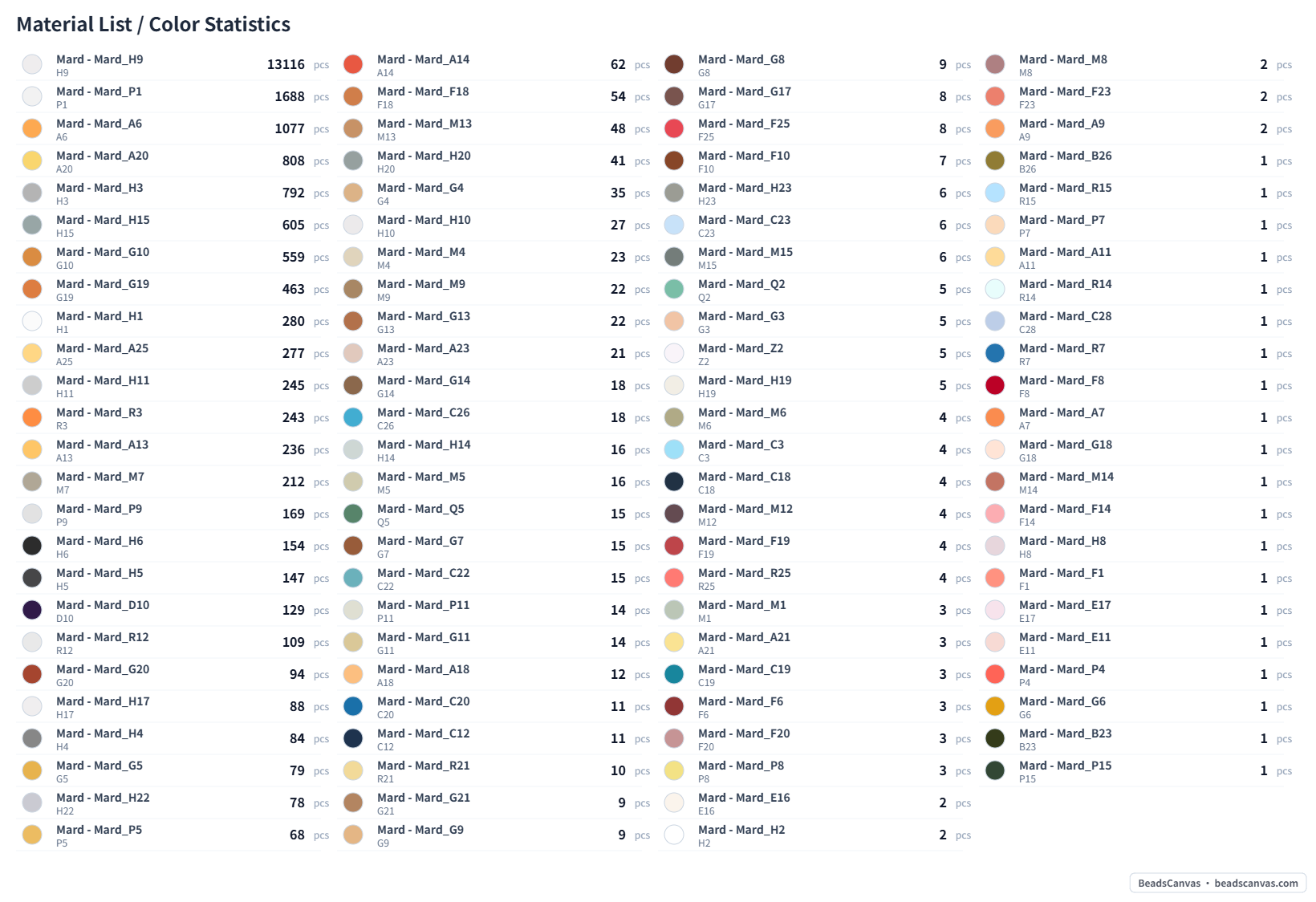
A material list usually includes:
- Color name or code.
- Bead count for each color.
- Total bead count.
- The selected brand palette.
Sort colors by count before shopping. High-count colors matter most; rare colors can sometimes be replaced.
The material list is closer to a pre-build shopping checklist. It groups the pattern by color and bead count, so you can prepare the most-used colors first.
3. Brands are not identical
Perler, Hama, Artkal, Mard, and other brands can have different shades even when the names sound similar.
For example:
- One yellow may be warmer than another.
- Skin tones can lean pink, orange, or tan.
- Some brands melt softer or glossier.
For the most consistent result, avoid mixing brands heavily within the same area.
4. How to replace missing colors
Use this priority order:
- Outlines: Keep dark outline colors close to the original.
- Eyes and highlights: Small changes can affect expression.
- Main colors: Similar shades are usually fine if used consistently.
- Shadows: These are the easiest to replace.
Preview replacements in the editor before exporting.
5. How to reduce too many colors
If a generated pattern has too many colors:
- Merge similar grays.
- Reduce shadow colors.
- Keep outlines and main colors.
- Remove noisy background pixels.
Small patterns often work well with 8-16 colors.
FAQ
Do color codes need to match exactly?
Not always. Exact colors matter more for portraits and recognizable characters. Simple projects can use close substitutes.
Can I mix bead brands?
You can, but avoid mixing many brands in the same flat area. Different melting behavior can affect the finish.
Is the material list the same as a shopping list?
It shows bead counts, not bag counts. Buy extra for common colors, mistakes, and future projects.
Next step
Open any public pattern and inspect its material list, or use the editor to replace colors before exporting.
If you need a practice design, browse the pattern gallery and start with a low-color project. For more color-aware pages, see patterns with color codes. Before building, pair this with how to use Perler bead patterns and the troubleshooting guide.